 Krisp
Krisp
Never miss a chat - with or without a window open
Install Krisp from your browser as its own window, with a taskbar icon and an unread badge. Get a chime and a notification when a conversation needs you, even in a background tab, and push notifications on your phone or desktop with no window open at all.
How the installable app and push alerts work
Installs from the browser
Chrome, Edge and Safari install Krisp as an application window of its own: no browser address bar, an icon in your taskbar, dock or home screen, and a live badge counting the conversations in which a visitor is waiting on your team.
Alerts you can tune
A sound chime and a desktop notification fire when a conversation needs a human - never for the thread you already have open, and deduplicated across tabs so multiple open tabs only chime once. Choose which events alert on each browser.
Push on your phone
Standard Web Push reaches your phone and desktop even when no Krisp window or browser tab is open. Tap the notification to jump straight into the waiting conversation thread and reply immediately. On an iPhone or iPad, add Krisp to the Home Screen from Safari’s Share menu first: Apple allows web notifications only to a page added there.
Presence that tells the truth
Set your status to online, away or offline per teammate, so the website chat widget says “Online now” only when a real person on your team is available to answer.
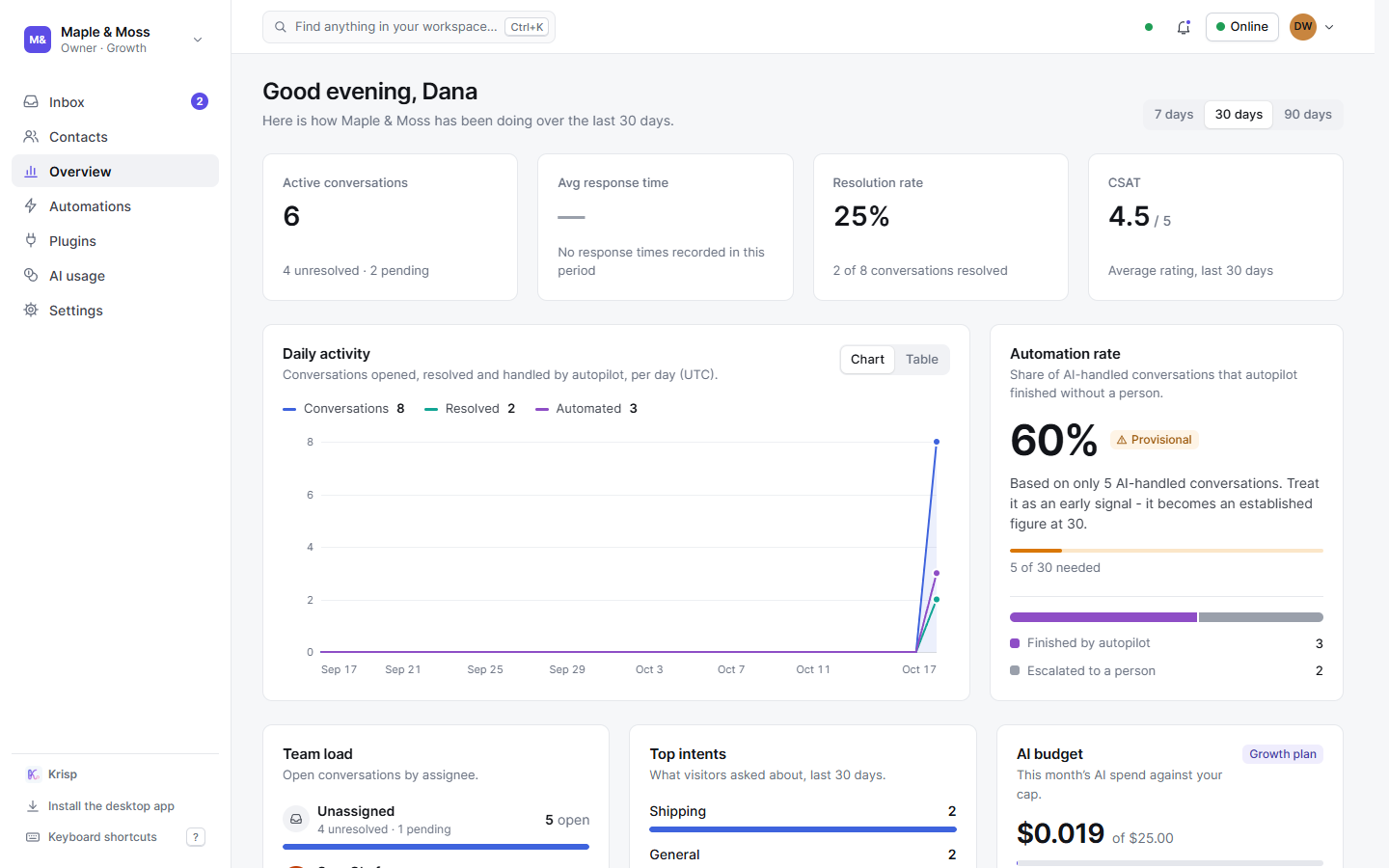
Today at a glance
The overview screen shows active conversations, average response time, resolution rate, ratings, automation rate, team load, top topics and the AI budget for the last 7, 30 or 90 days - measured figures from your inbox, never estimates.
Any device, same account
Sign in on a laptop and a phone at the same time; every signed-in browser and app is listed on your account page with when it signed in and was last active, and can be signed out remotely from anywhere.